Serial Terminal

Best Serial Terminal macOS App for IoT & Embedded Engineers

Serial Terminal for Mac helps you connect USB-to-Serial/UART devices, monitor TX/RX data reliably, and troubleshoot protocol issues faster.

macOS 14.6+  |  Apple Silicon Native
Serial Terminal main interface

Features

Everything you need in one Serial Terminal for Mac app for serial port debugging.

Quick Setup

Configure port, baud rate, data bits, parity, and stop bits with one click.

Dual View Debugging

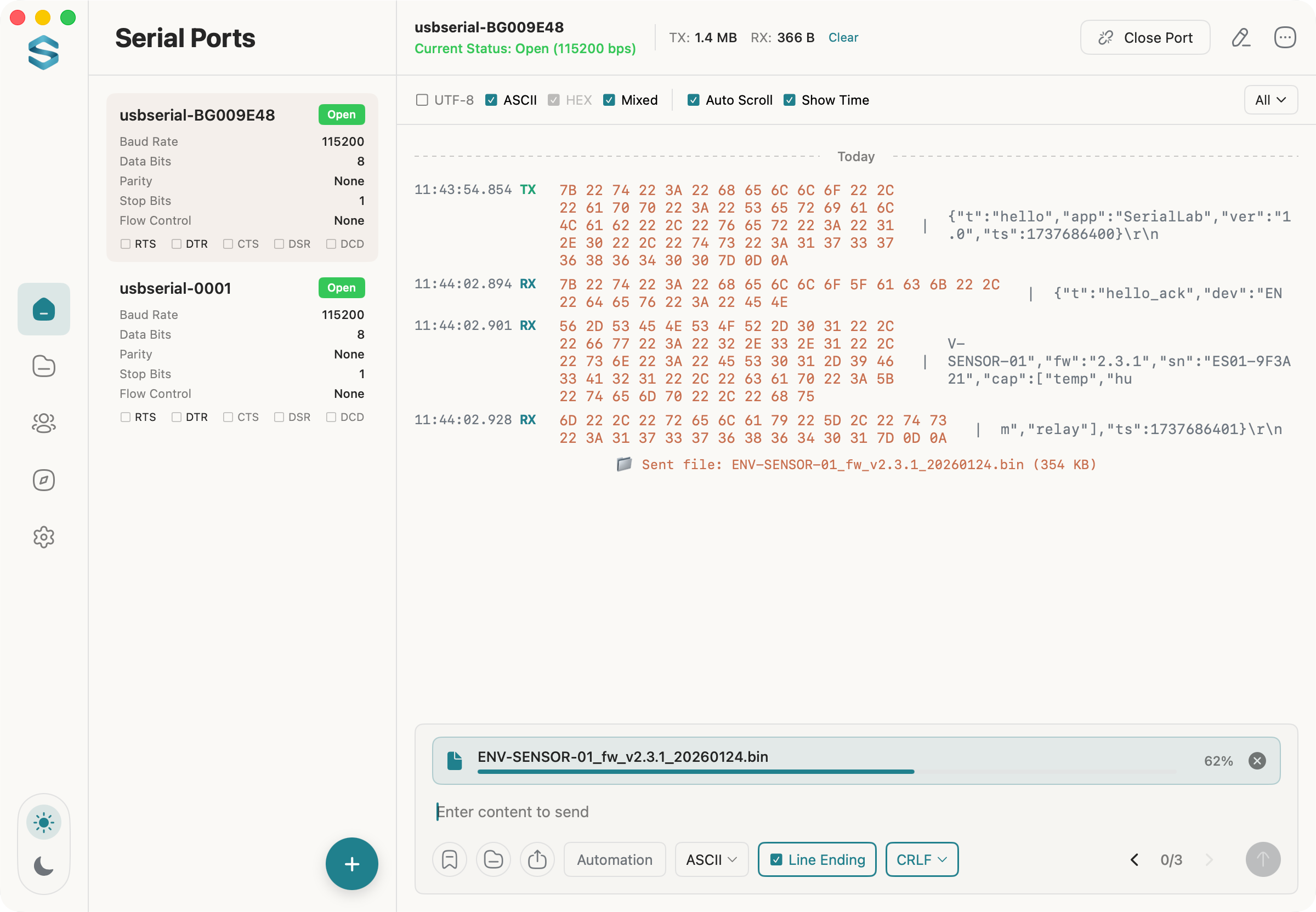
Text/HEX dual view with encoding support and line endings (LF/CRLF).

Efficiency Tools

Timestamps, auto-scroll, search/filter, one-click copy and clear.

MCP Service

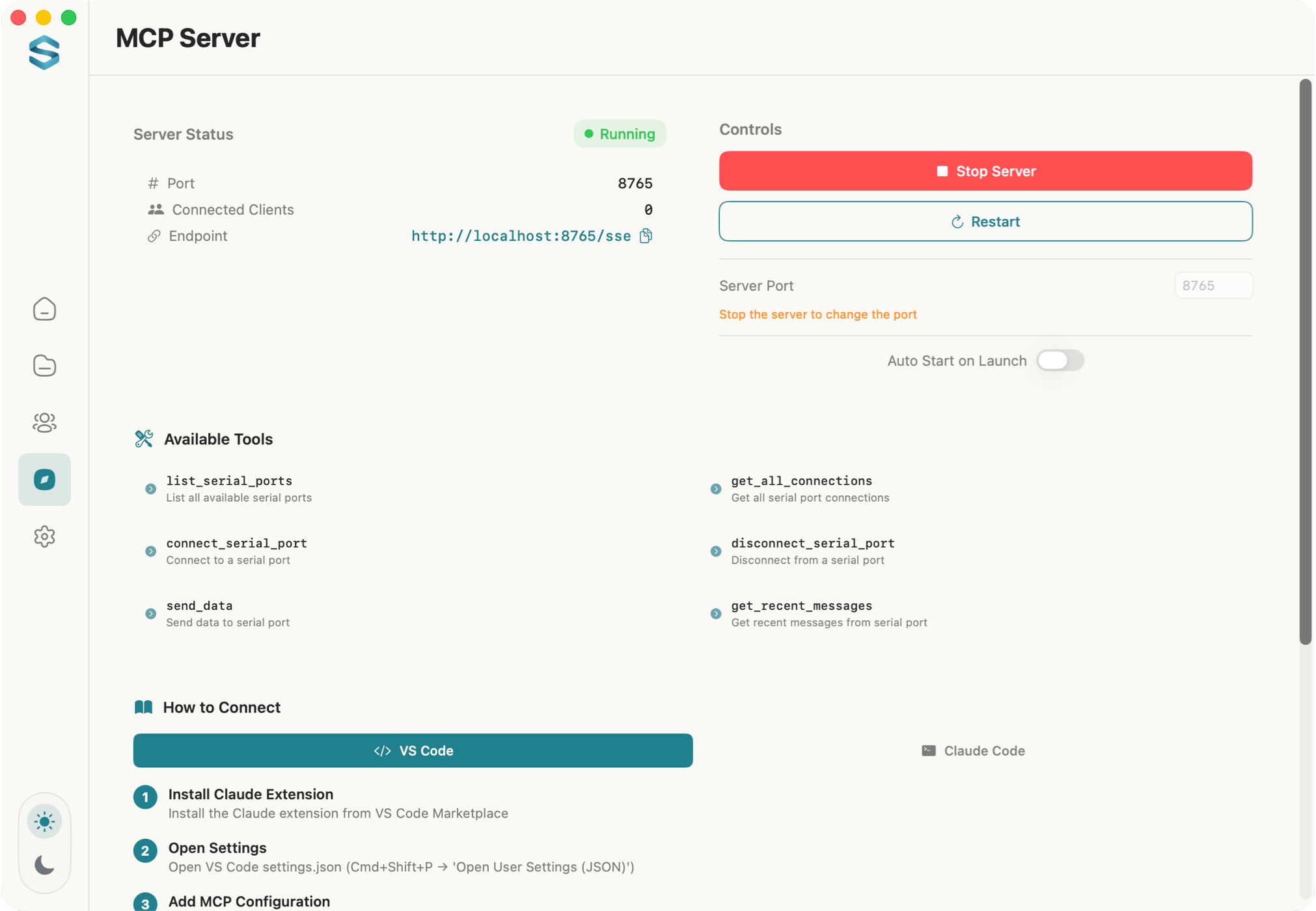
Built-in MCP server with SSE protocol support for AI integration.

Data Export

Export and save TX/RX data locally for review and sharing.

Send Tools

Quick send, timed/loop send, and file transfer with progress tracking.

Wide Compatibility

Supports all USB serial ports and RS232/RS485 adapters.
See It in Action

Watch how Serial Terminal streamlines your debugging workflow.

Video poster

App Interface

Clean, intuitive design built for productivity.

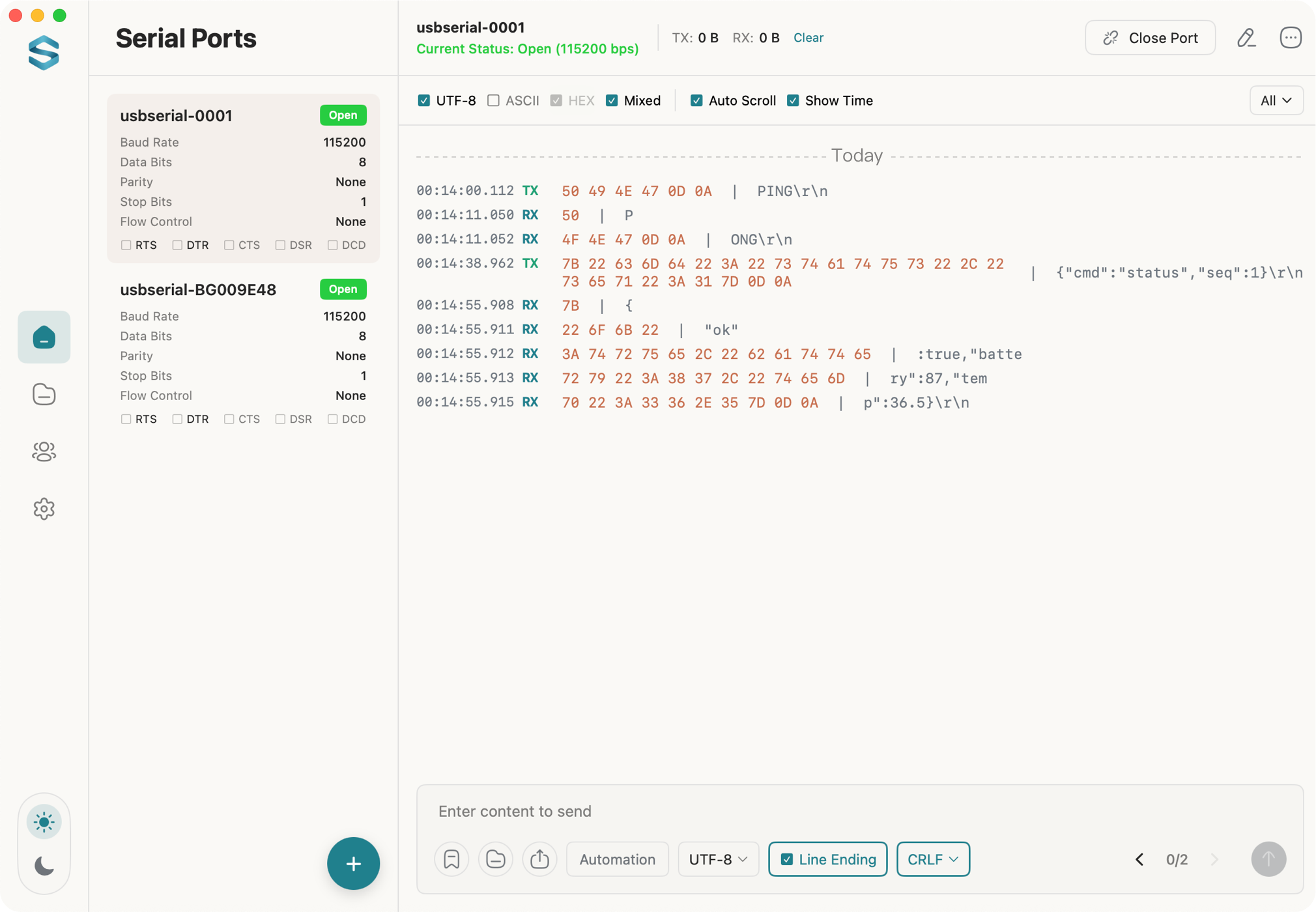
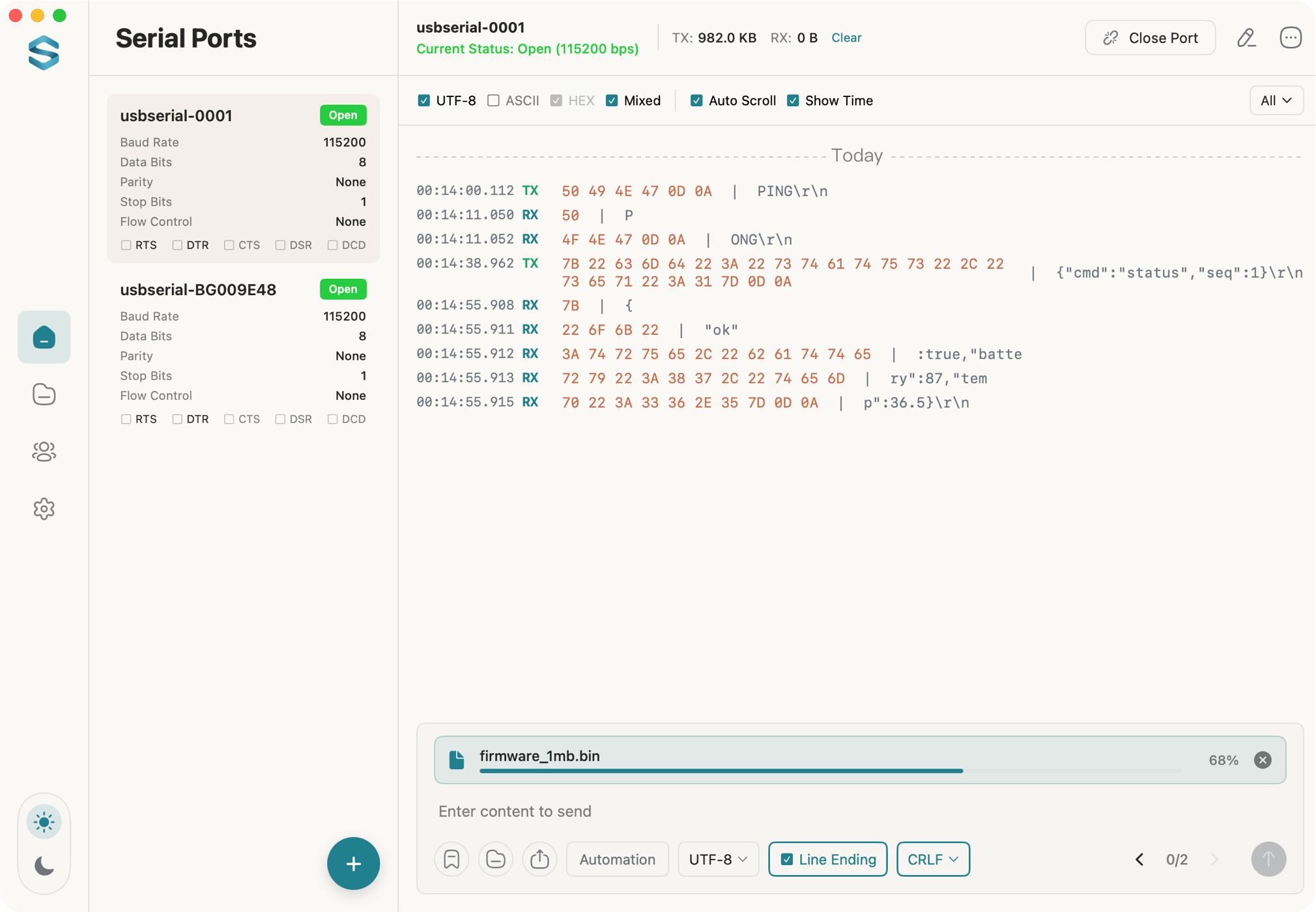
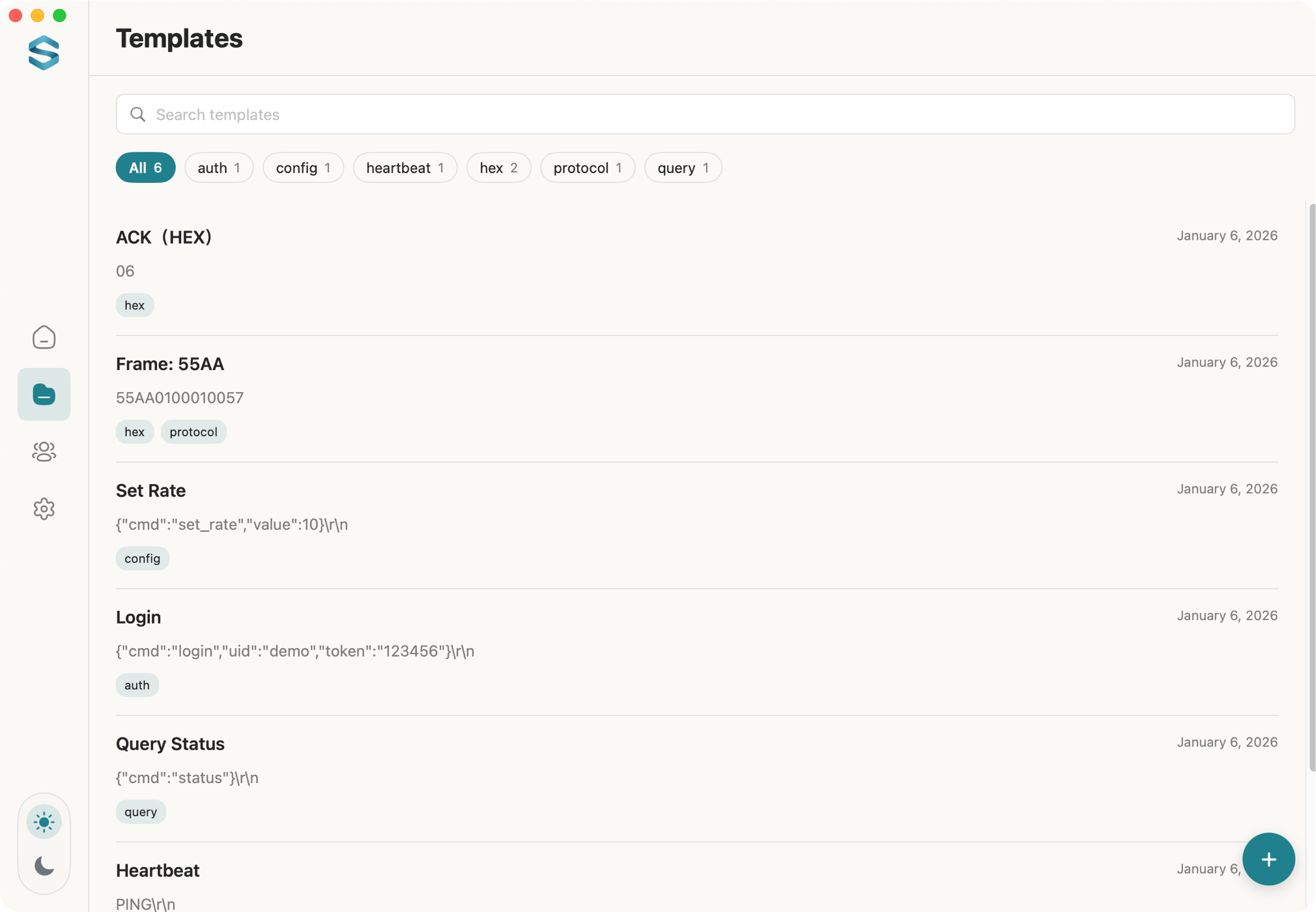
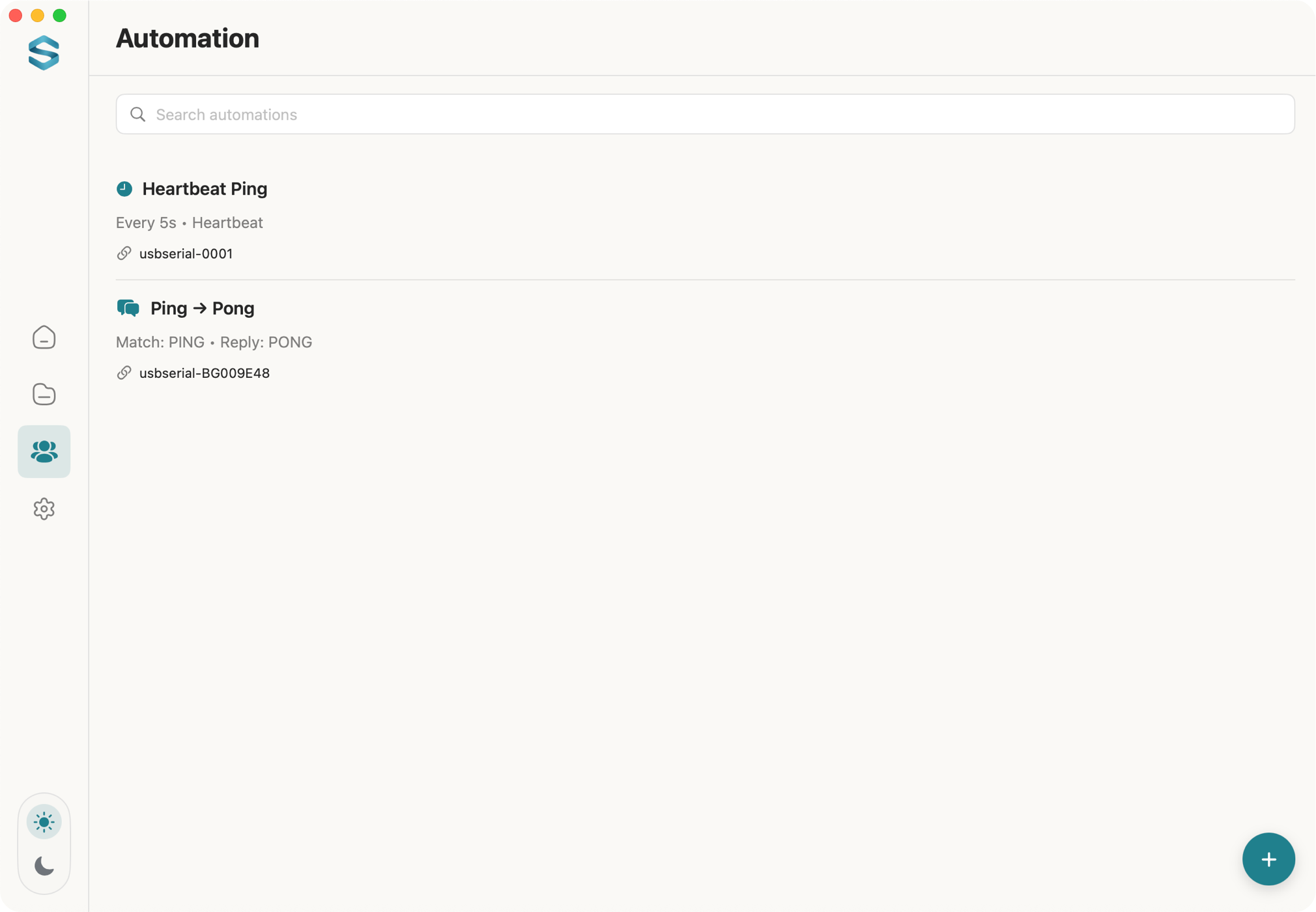
Data TX/RX interface File transfer Command templates Automation MCP Server

Real-time Text/HEX dual view with multi-port simultaneous connections.

Transfer firmware and binary files with real-time progress tracking.

Save frequently used commands as templates with tags for quick access.

Set up automated responses and heartbeat pings for unattended testing.

Run the built-in MCP server for SSE-based AI integrations.

Privacy First

Your data stays on your Mac. Always.

  • No personal data collection
  • No serial data uploaded
  • All data saved locally on your Mac

Ready to Use the Best Serial Terminal for macOS?

Download Serial Terminal for Mac and debug serial devices on macOS faster.

Download on Mac App Store